 TrendingMusic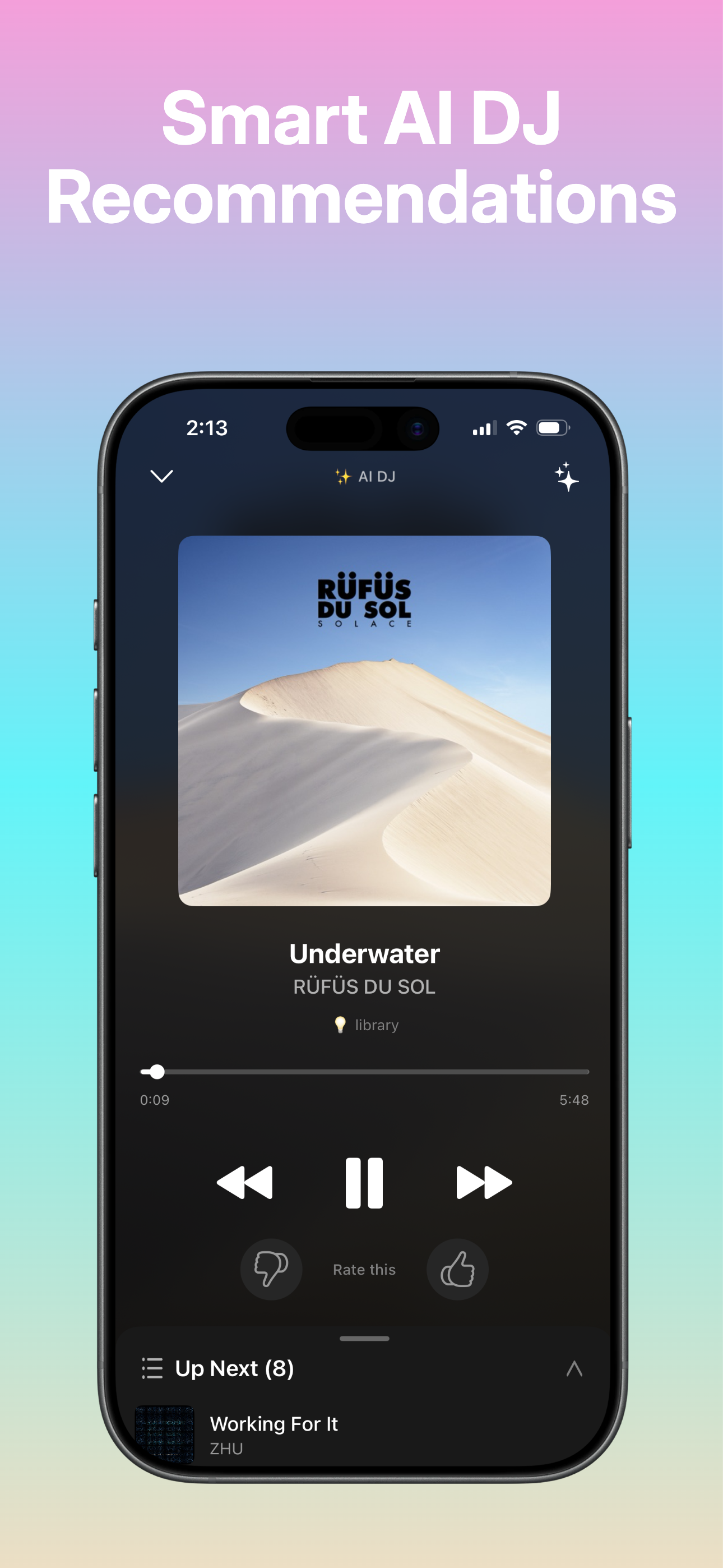
Everything Spotify DJ doesn't.
Voice commands. Mode chips. Story arcs. Mid-session control. All on iPhone, all in the same app you already use to play music.
Natural-language voice commands
Hold the mic and just say what you want — "play something more chill," "skip," "play more like this," "play workout music." The mix adapts in seconds without leaving the session. No wake word required.
Mood chips for mid-session pivots
Tap Balanced, My Library, Throwback, Discover, or Energy mid-mix. The DJ rebuilds the queue around the new mood within seconds. My Library is a hard constraint — only artists you've already saved.
Story arcs
Each session optionally picks a narrative — Artist Spotlight, Genre Journey, Era Hop, Mood Arc, or Discovery Quest. Songs follow that arc with intro, middle, and closing transitions, and the narrator (if enabled) ties them together.
Time-of-day daylists
Foggy bedroom-pop Monday morning. Late-night drive Friday. The DJ generates a daypart label for each session and tunes the music to match. Cached per daypart, so it's ready when you open the app.
Energy hint detection
When you skip three high-energy tracks in a row, the DJ figures it out and dials energy down for the rest of the session. Same in reverse — if you start asking for hype tracks, the mix follows.
Optional narrator
An AI voice introduces tracks, explains why each one was picked, and gives context — facts about the artist, the era, the album. Off by default. Turn it on when you want company; turn it off when you want quiet.
How it works
Open the AI DJ card
On the home screen, tap the AI DJ card. The session starts immediately with a balanced mix tuned to your listening history.
Steer with chips or voice
Tap a mode chip to shift the mood. Or hold the mic and say what you want — "play something for studying," "play more like this," "skip." The mix adapts in seconds.
Let the story play out
If a story arc is active, the DJ structures the session with intros, middles, and closing transitions. The narrator (optional) ties it all together with context.
Trending AI DJ vs Spotify DJ X
Both apps have an AI DJ. Only one lets you steer it mid-session.
Spotify free trial varies by account; many existing or lapsed users do not qualify. Comparison based on public features at time of publishing.
Frequently asked
How much does the AI DJ cost?▾
It's part of Trending Music Premium, which starts with a 7-day free trial through the App Store. No charge if you cancel before day 7. After the trial, weekly is roughly half of Spotify Premium monthly.
Do I need a credit card to start the trial?▾
Only what Apple already has on file with your Apple ID. The trial runs through the App Store's standard subscription flow — there's no separate Trending billing setup.
How is this different from Spotify DJ X?▾
Spotify DJ X is summoned with a "Hey, DJ" wake phrase and plays an endless mix narrated by one AI voice. It can't accept natural-language commands mid-session. Trending's AI DJ accepts voice commands like "play more like this" or "play workout music" directly inside the player, and lets you tap mood chips to pivot the mix on demand.
Can I turn the narrator off?▾
Yes — the narrator is off by default. Turn it on or off from the AI DJ player at any time. The DJ continues to pick songs the same way; only the voiceover changes.
Does it need a connection?▾
Yes — the AI DJ needs a connection to generate fresh mixes and narration.
What does "My Library" mode do?▾
It hard-constrains the AI DJ to only play artists you've already saved. Useful for comfort listening when you don't want surprises. If your library is empty, the DJ tells you to save songs first instead of falling back to random tracks.
Try the AI DJ free for 7 days.
Through the App Store. No charge if you cancel before day 7.